

TL;DR:
- Valued UX trends are supported by multiple data sources and validated research, unlike fleeting fads.
- Strategic trend adoption improves user experience and business KPIs when validated through usability testing.
- Organizations should develop evidence-based evaluation processes and clear criteria to resist unnecessary trend chasing.
UX professionals operate in an environment where new design patterns, interaction paradigms, and technological capabilities surface continuously. The temptation to adopt each emerging trend is real, yet indiscriminate adoption often produces interfaces that feel disjointed, inaccessible, or misaligned with actual user needs. Research increasingly confirms that the most effective design teams are not those who ship every trend first, but those who evaluate, validate, and selectively integrate patterns that serve measurable user and business goals. This article examines how to critically assess UX trends, when to adopt or reject them, and how evidence-based frameworks support smarter, more defensible design decisions.
Table of Contents
- What defines a trend in UX?
- Why trends matter: Impact on users and business goals
- Identifying trends worth your attention
- From observation to adoption: Putting trends into practice
- When to say no: Ignoring trends for long-term UX success
- What most UX teams miss about following trends
- Level up your UX trend knowledge with DesignDex
- Frequently asked questions
Key Takeaways
| Point | Details |
|---|---|
| Trends need context | Not every trend serves users—careful evaluation aligns design with real needs. |
| Test before adopting | Prototype and validate trends through user research before full integration. |
| Ignore trends strategically | If a trend doesn’t fit your goals, it’s smart to pass and stick with what works. |
| Trend-awareness, not trend-chasing | Understanding trends empowers you to make informed choices, not just follow the crowd. |
What defines a trend in UX?
The word "trend" is used loosely in design discourse, sometimes describing a genuinely transformative shift in user behavior and sometimes referring to a stylistic novelty that fades within months. Getting this distinction right is not semantic; it directly shapes resource allocation, design strategy, and long-term product quality.
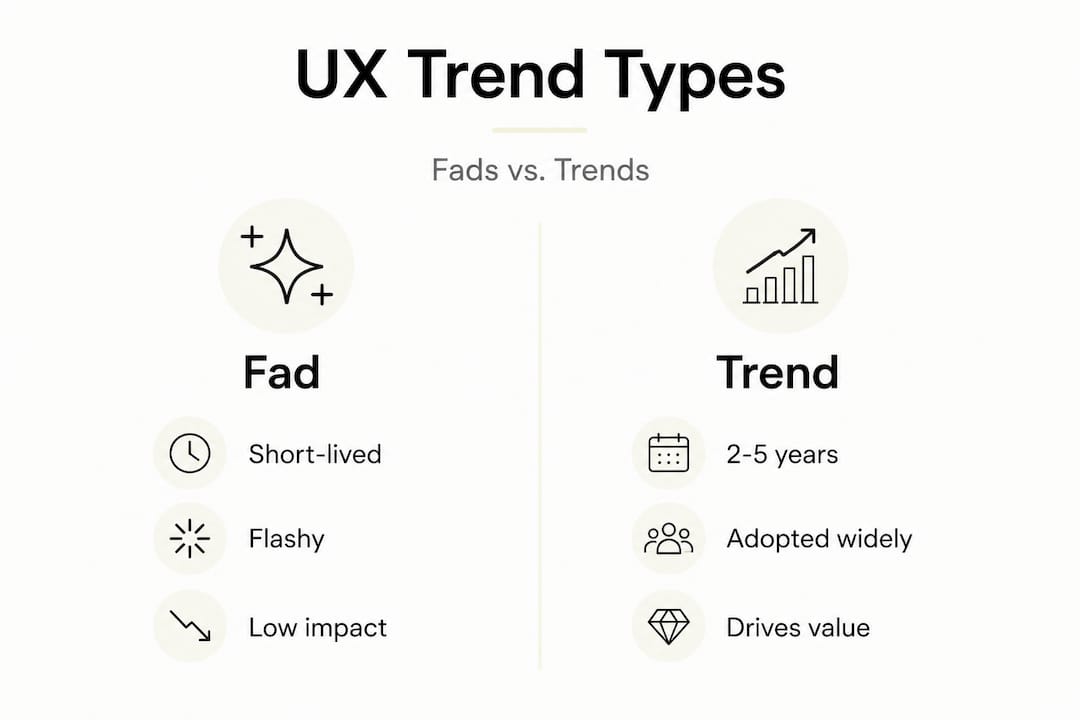
Trends in UX design stem from recurring patterns seen in user research and industry shifts, meaning a true trend reflects converging evidence across multiple data sources, not a single product launch or a viral design post. A fad, by contrast, emerges rapidly, garners attention, and dissipates before producing measurable behavioral change.
Consider three examples across a spectrum:
- Microinteractions (genuine trend): Rooted in cognitive psychology and feedback loop research, microinteractions improve perceived responsiveness and task completion confidence. They have been validated across mobile, web, and enterprise contexts over more than a decade.
- Dark mode (evolving trend): Initially aesthetic, dark mode gained traction through accessibility research linking it to reduced eye strain in low-light conditions and OLED battery efficiency. It has since become a baseline expectation in many product categories.
- Skeuomorphic design (fad that receded): Skeuomorphism dominated early smartphone interfaces but retreated as users developed sufficient digital literacy to operate with abstract UI metaphors, demonstrating that some "trends" are transitional rather than enduring.
The following comparison clarifies the distinctions that matter for strategic identifying design trends work:
| Dimension | Fad | Trend | Foundational principle |
|---|---|---|---|
| Duration | Weeks to months | 2 to 5+ years | Indefinite |
| Evidence base | Anecdotal, aesthetic | User research, adoption data | Empirical, replicated |
| User impact | Negligible or neutral | Measurable, often positive | Core to usability |
| Strategic value | Low | Moderate to high | High |
| Examples | Glassmorphism overuse | Dark mode, voice UI | Fitts's Law, progressive disclosure |
Distinguishing these categories allows design teams to allocate attention and resources proportionally. Committing significant development capacity to a fad extracts cost without delivering user value, while ignoring a genuine trend risks falling behind user expectations established by category leaders.
Why trends matter: Impact on users and business goals
Trends matter not as aesthetic preferences but as signals of shifting user expectations, technical capabilities, and competitive baselines. A trend that becomes the industry norm effectively resets the threshold for acceptable usability. Users who interact daily with smooth gesture navigation, for instance, experience friction when encountering older tap-only interfaces. This recalibration of expectations has direct consequences for retention, conversion, and brand perception.

Positive business outcomes from trend adoption are well-documented when adoption is preceded by validation. Conversely, premature or untested trend integration introduces risk. Design analysis in UX provides a structured method for assessing both the potential upside and the implementation risk before committing to adoption.
The table below summarizes how trend-related decisions map to key performance indicators:
| Decision | Potential positive KPI impact | Potential negative KPI impact |
|---|---|---|
| Validated trend adoption | +Retention, +task completion, +NPS | None when tested properly |
| Trend adoption without testing | Temporary novelty lift | Accessibility complaints, increased error rates |
| Ignoring relevant trends | N/A | Competitive disadvantage, reduced engagement |
| Correctly rejecting irrelevant trends | Maintained clarity and consistency | N/A |
Research demonstrates that usability testing impact on interface quality is significant; rigorous usability testing can substantially enhance interactive interface quality, demonstrating the need to validate trends before adoption rather than deploying them based on peer observation alone.
"The risk is not staying aware of trends. The risk is allowing trend awareness to substitute for user validation."
For UX teams operating under resource constraints, the following prioritization logic applies:
- Identify trends with documented user benefit across multiple independent studies or large-scale industry datasets.
- Assess alignment with your specific user segment, recognizing that trends validated in one context (e.g., consumer mobile apps) may not transfer to another (e.g., medical information systems).
- Quantify the cost of adoption in terms of development effort, accessibility review, regression testing, and user re-education.
- Run structured usability tests before full rollout, using representative users and scenario-based tasks.
- Measure against pre-defined KPIs post-launch, using longitudinal data to distinguish novelty effects from durable improvements.
Identifying trends worth your attention
The volume of design content published daily makes horizon scanning a practical challenge. Most teams encounter trends reactively, through social media, conference talks, or competitor product releases. Reactive awareness is insufficient for strategic decision-making; it favors recency and visibility over evidence quality.
Design intelligence in trend evaluation supports a more rigorous approach: synthesizing signals from peer-reviewed research, user behavior analytics, patent filings, and cross-industry adoption data to assess the staying power and user-fit of any given trend. This intelligence layer transforms trend observation from a passive activity into a structured analytical function.
The following framework operationalizes trend evaluation for UX teams:
- Signal sourcing: Collect trend signals from peer-reviewed UX journals, platform design system updates (Google Material Design, Apple Human Interface Guidelines), accessibility standards bodies, and large-scale usability studies. Prioritize signals corroborated by multiple independent sources.
- Alignment testing: Assess whether the trend addresses a documented pain point within your specific user population. A trend that resolves a friction point your users do not experience offers minimal ROI.
- Brand and mission fit: Evaluate whether the trend reinforces or contradicts your product's core value proposition. A productivity tool introducing highly animated transitions may increase delight but reduce task focus.
- Technical feasibility audit: Determine implementation complexity, performance implications (particularly for mobile-first or low-bandwidth contexts), and accessibility compliance requirements.
- Prototype and test: Build a low-to-mid fidelity prototype incorporating the trend and conduct structured usability sessions with representative users before committing to production development.
- Iterate based on findings: Refine the implementation based on usability session outcomes, ensuring the trend is adapted to your context rather than transplanted wholesale.
Human-centered design tips consistently reinforce that user needs, not market novelty, should anchor every design decision. Trends that do not serve a validated user need should be deferred regardless of their current visibility.
Pro Tip: Establish a standing monthly review of design trend signals using a structured scorecard. One-time reviews during project kick-off create blind spots. Continuous monitoring ensures your team responds to emerging patterns with lead time sufficient for proper validation rather than reactive scrambling.
From observation to adoption: Putting trends into practice
Identifying a promising trend is only the first step. Translating that identification into a production-quality implementation requires a disciplined, iterative process that insulates teams from the most common pitfalls: over-customization without testing, skipping validation, and treating trend adoption as a one-time event rather than an ongoing learning cycle.
The following sequence provides a repeatable adoption workflow:
- Document the trend and its evidence base: Record what the trend is, which user problems it addresses, what research supports it, and which products or sectors have implemented it successfully.
- Define success metrics in advance: Establish which KPIs the trend is intended to move (e.g., time-on-task, error rate, satisfaction score) before building anything.
- Prototype at appropriate fidelity: Build a testable artifact. For interaction-heavy trends, interactive prototypes are preferable to static mockups.
- Conduct structured usability testing: Use scenario-based tasks with representative users. Collect both behavioral data (task completion, error frequency, time-on-task) and attitudinal data (perceived ease, satisfaction).
- Analyze and iterate: Identify implementation gaps and refine before production handoff. Document what worked, what didn't, and why.
- Monitor post-launch: Track KPIs over a minimum 30-to-60-day period to distinguish novelty effects from durable behavioral change.
VR in UX research illustrates this process effectively. VR immersion enhances user empathy in design when systematically implemented, meaning teams that introduced VR-based empathy exercises into their research workflows saw measurable improvements in designers' understanding of user contexts. This did not happen by accident; it required structured implementation, defined research objectives, and iterative refinement.
Common pitfalls to avoid during adoption:
- Over-customization without re-testing: Adapting a trend to your context is necessary, but each modification should be re-validated. Assume that your customization may introduce new usability issues.
- Skipping low-fidelity stages: Proceeding directly to high-fidelity or production builds locks in assumptions before they are tested, increasing the cost of correction.
- Treating adoption as complete at launch: Trends require ongoing monitoring because user familiarity, competitive context, and accessibility standards evolve continuously.
- Failing to document learnings: Knowledge accumulated during adoption often remains siloed in individual team members' experience. Structured documentation ensures institutional learning across the team.
Reviewing essential design research methods provides additional methodological grounding for teams building out a systematic adoption process.
Pro Tip: Create a shared trend adoption log accessible to the entire design team. Record each trend evaluated, the decision made, the rationale, and the outcome. This living document becomes a reference for future projects and reduces duplicated effort across product lines.
When to say no: Ignoring trends for long-term UX success
The discipline to decline trend adoption is as strategically important as the capacity to integrate it. Core design principles help teams resist the temptation to chase every new trend, ensuring that long-term usability and user trust are not sacrificed for short-term novelty.
Recognizing when to say no requires explicit criteria, not intuition. The following warning signs indicate that a trend is not appropriate for adoption:
- The trend does not address a documented user pain point. If your user research does not surface the problem the trend purportedly solves, adoption is decorative rather than functional.
- The trend conflicts with accessibility standards. Trends that reduce color contrast, increase animation duration, or introduce complex gesture requirements may exclude significant user segments.
- The trend introduces cognitive load without corresponding benefit. Novel interaction patterns require user re-learning. This cost is only justified when the benefit (speed, accuracy, satisfaction) demonstrably outweighs it.
- The trend conflicts with platform norms for your user segment. Enterprise users, older demographics, and users with assistive technology dependencies often benefit from conservative, convention-aligned interfaces.
- Technical constraints render implementation inconsistent. A trend that works beautifully in optimal conditions but degrades significantly under real-world constraints (low-bandwidth, older hardware, varying screen sizes) creates uneven user experiences.
Establishing a design policy for UX formalizes these criteria. A design policy is a documented set of principles, constraints, and decision rules that governs how design decisions are made at an organizational level. It transforms individual judgment calls into repeatable, team-wide standards, reducing the influence of trend pressure on individual designers who may lack the authority or evidence to push back alone.
Pro Tip: Draft a one-page "trend adoption criteria" document and socialize it with stakeholders, including product managers and engineering leads. When teams share explicit criteria for what warrants adoption, trend-chasing pressure diminishes significantly and design rationale becomes easier to communicate and defend.
What most UX teams miss about following trends
Most conversations about UX trends concentrate on which trends to follow, with relatively little attention devoted to the organizational capability required to evaluate them consistently. This is where most teams fall short, not in their awareness of trends but in their discipline around evaluation.
Trend-aware teams, rather than trend-reactive ones, treat each emerging pattern as a hypothesis requiring investigation. They allocate research capacity proportional to the trend's potential impact, resist peer pressure that equates early adoption with competence, and build institutional knowledge through documentation and shared learning practices.
The "first-to-ship" mentality, common in competitive product environments, systematically undervalues the cost of premature adoption: accessibility remediation, regression bugs introduced by untested interaction patterns, user confusion during transitions, and erosion of design system coherence. Organizations that absorb these costs repeatedly often do so because they lack a formal evaluation process, not because they lack design talent.
Design analysis for smarter UX reveals that sustained analytical discipline, applied consistently across trend evaluation, user research synthesis, and design system governance, produces more durable UX quality improvements than any individual trend adoption decision.
The most mature UX teams treat trend assessment as a repeatable analytical function, one that generates evidence, documents decisions, and feeds back into design strategy over time. This is what separates organizations that improve systematically from those that oscillate between novelty and remediation.
Level up your UX trend knowledge with DesignDex
Keeping pace with emerging UX research requires more than occasional conference attendance or social media monitoring. Design teams need structured, evidence-backed intelligence delivered consistently, and that is precisely what DesignDex provides.
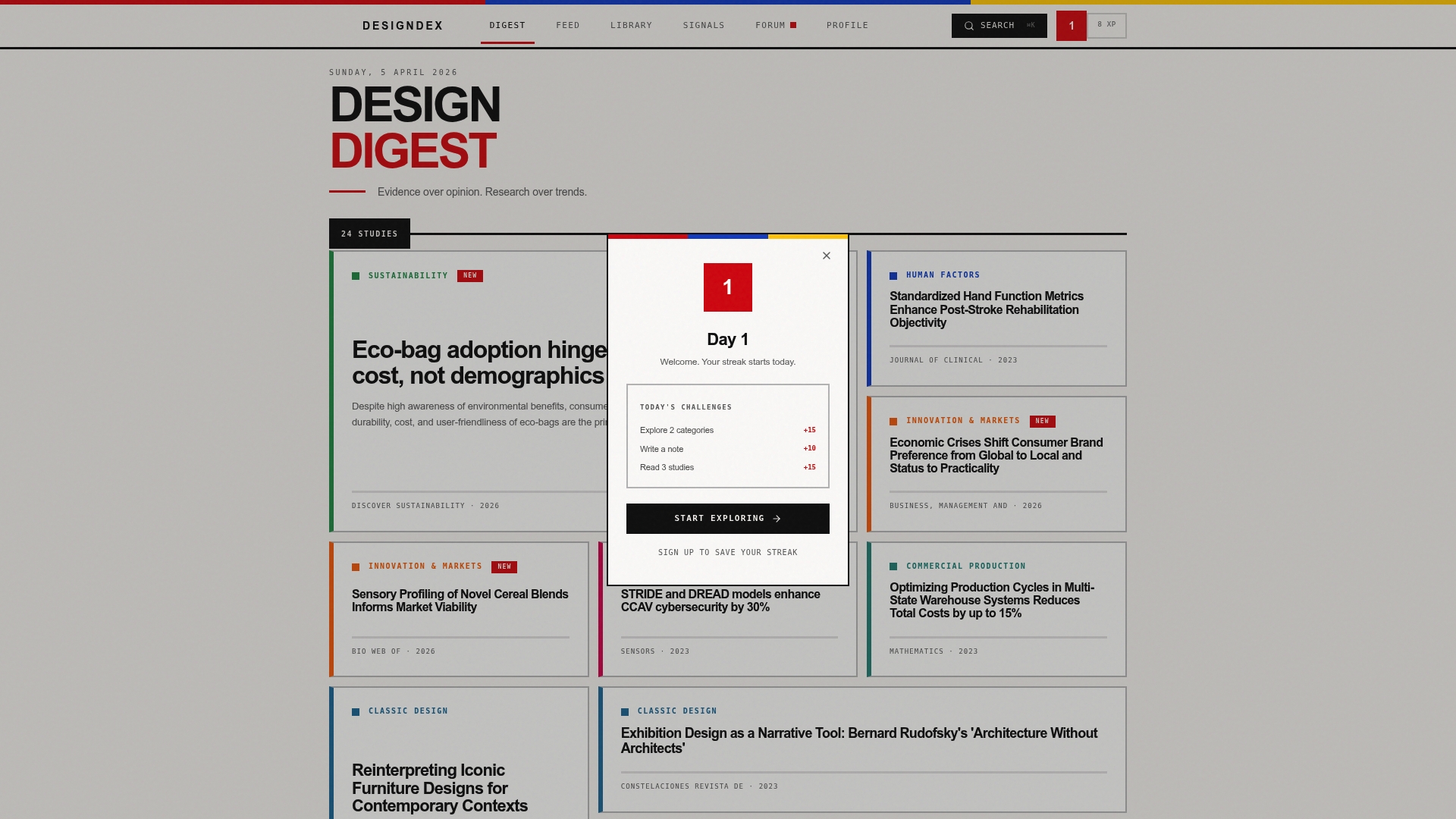
DesignDex's daily design intelligence aggregates and distills peer-reviewed UX and industrial design studies into structured, actionable breakdowns covering aims, methods, findings, and real-world applications. Instead of spending hours parsing full academic papers, your team receives citation-ready summaries updated daily. The Signals feature surfaces emerging patterns and trend signals, providing the early-warning intelligence your team needs to evaluate trends before they become competitive pressures. From foundational usability studies to cutting-edge research like VR immersion research, DesignDex equips designers to justify every decision with evidence rather than intuition.
Frequently asked questions
How do I know if a UX trend fits my project?
Evaluate whether the trend directly addresses a validated user need within your specific context, using research-driven frameworks and low-fidelity prototyping to confirm fit before committing development resources. Alignment with core user goals and brand promise is the primary filter.
What are examples of harmful UX trends?
Trends that reduce color contrast ratios below WCAG thresholds, introduce high-motion animations for users with vestibular disorders, or add interaction complexity without resolving a real user problem can be harmful; human-centered design principles emphasize that not every trend produces measurable user benefit.
Should I always test a new design trend with users?
Yes, without exception; usability testing reveals the real-world impact of new interaction patterns before full deployment, preventing accessibility failures, increased error rates, and user confusion from reaching production.
How can I keep up with emerging UX trends?
Subscribe to peer-reviewed design research aggregators, monitor design system changelogs from major platforms, and engage in structured monthly horizon-scanning reviews using a consistent evaluation scorecard to separate high-signal trends from low-evidence noise.